
The Best Way to Move a Large TV: A Professional Guide for 2026
- Goldfish Moving & Storage

- Jun 12
- 13 min read
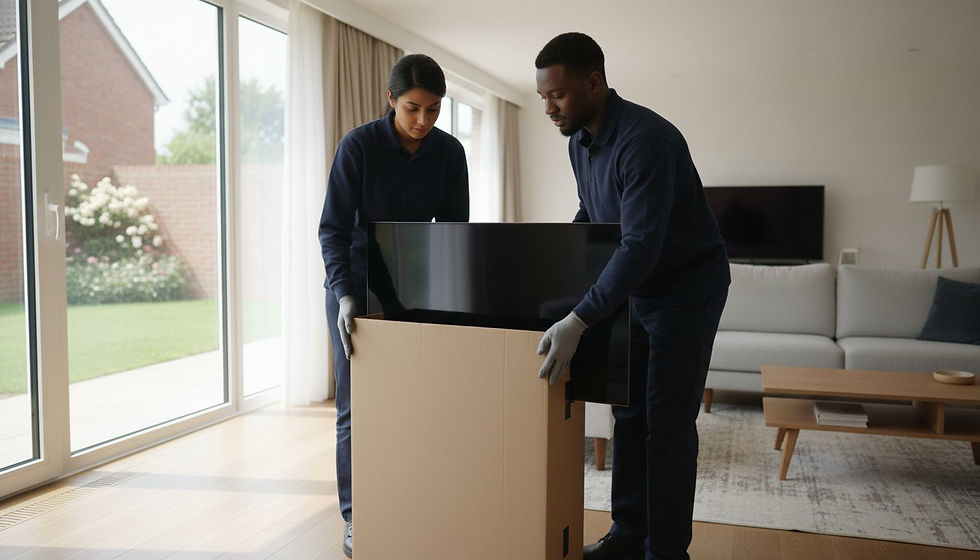
The biggest threat to your 75-inch screen isn't a surface scratch; it's the invisible flex of the internal panel that occurs the moment the unit tilts. Most people feel a genuine sense of dread when it's time to unmount an oversized television, especially when the original box is long gone. It's heavy, awkward, and feels like one wrong move could result in an expensive disaster. Finding the best way to move a large TV is about more than just finding enough bubble wrap; it's about understanding the delicate physics of modern displays.
We're here to replace that anxiety with a sense of calm, professional readiness. This guide reveals expert techniques that prioritize structural integrity to ensure your favorite technology arrives at your new home in perfect condition. You'll learn how to source reinforced boxes for screens up to 86 inches, the technical rationale for keeping the unit upright at all times, and the precise lifting methods used by specialists. We'll provide the clear instructions you need for a damage-free move, helping you decide when to handle the task yourself and when it's time to trust professional packing and removal services.
Key Takeaways
Prevent internal screen damage by understanding the "panel flex" phenomenon and why vertical structural integrity is your first line of defense.
Secure the right materials for the job, such as specialized telescopic boxes that provide a custom fit for oversized displays when the original packaging is unavailable.
Discover the best way to move a large TV through a meticulous preparation process that includes photographing port configurations and managing delicate cables.
Apply the "Long-Side-Down" transit rule to ensure weight is distributed correctly across the base, preventing the screen from warping during the journey.
Learn how professional packing services and specialized equipment like air-ride suspension vans provide an extra layer of protection for high-value home cinema systems.
Table of Contents
Understanding the Vulnerability of Modern Large-Screen TVs
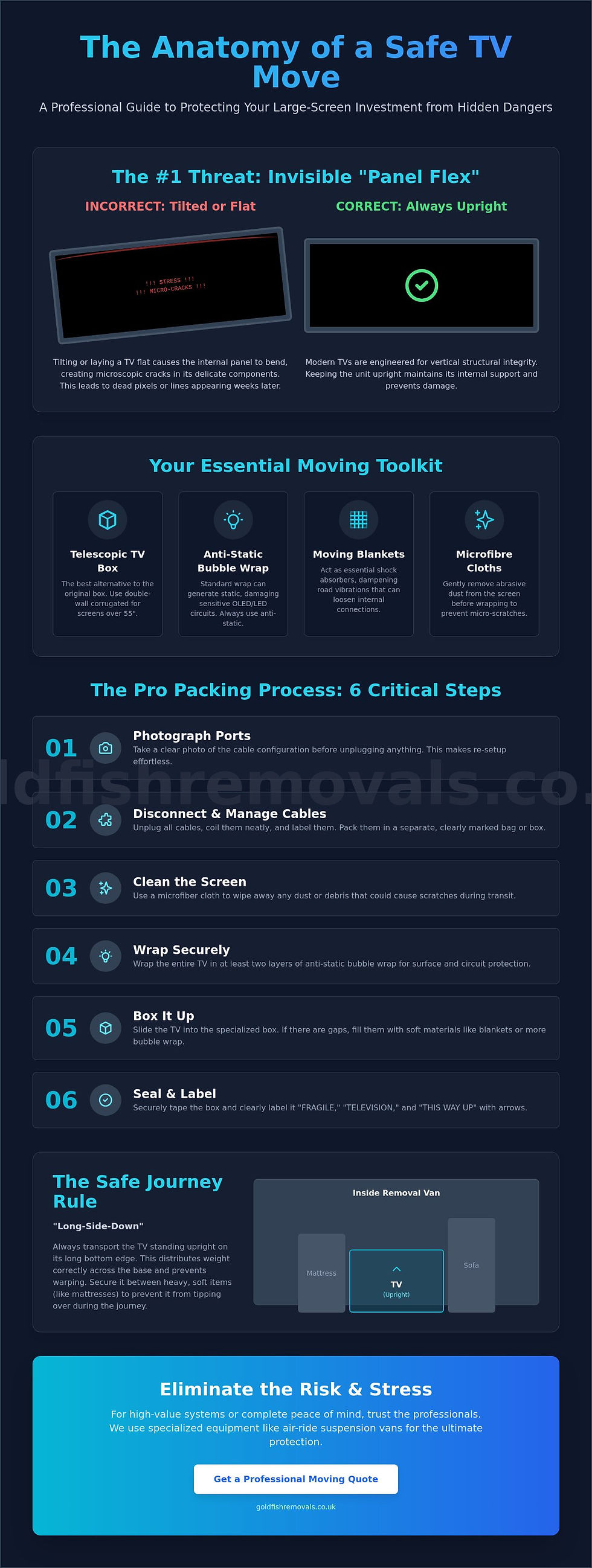
Understanding the physics of your screen is the first step in protecting your investment. Most owners assume that the glass front is the primary concern, but the real danger lies in the internal architecture. Modern Flat-panel display technology is engineered for vertical structural integrity. This means the internal components are designed to stay in place while the unit is upright. When you tilt or twist a 65-inch or 85-inch screen, you introduce "panel flex." This subtle bending creates microscopic cracks in the thin-film transistors or the substrate itself. These micro-cracks might not show up immediately, but they often lead to dead pixels or vertical lines weeks after you've settled into your new home.
Why You Should Never Lay a TV Flat
Gravity is a relentless force when applied to a horizontal screen. When a TV lies flat, the weight of the layers of glass and plastic begins to sag toward the center. This pressure can cause the internal backlight sheets to shift or press directly against the delicate pixel layer. In the context of screen layers, hydrostatic pressure refers to the equilibrium-disrupting force exerted by the weight of the display's internal fluid or material stacks when they are no longer supported by their vertical frame. Even a short trip in the back of an SUV can be fatal for a screen if it's laid on its back. The best way to move a large TV is to maintain its upright orientation throughout the entire journey, from the living room wall to the removal van.
The Fragility of 2026 Display Technology
As we move through 2026, home cinema trends have pushed screens to become thinner than ever while increasing in overall weight. OLED panels, which lack a traditional backlight, are particularly susceptible to torque damage because they don't have the rigid housing found in older LED models. The bezel, which many people use as a grip point, is often just a decorative plastic or thin metal strip. It provides almost zero structural support during a lift. Modern adhesives used to bond these ultra-thin layers can also become brittle or overly soft during extreme temperature changes in a transit vehicle. You won't always see a spiderweb crack on the surface. Instead, you might notice:
Discoloration or "blooming" in specific corners.
A slight separation between the screen and the frame.
Intermittent flickering caused by loosened internal ribbon cables.
Recognizing these hidden vulnerabilities is the best way to move a large TV without regret. By respecting the engineering of your display, you can take the right precautions to ensure your high-definition view remains crystal clear. This proactive approach turns a potentially stressful task into a controlled, professional process.
Essential Supplies for Safe TV Transportation
Gathering the correct toolkit is your next priority after understanding the internal fragility of your display. The best way to move a large TV involves a multi-layered defence strategy that starts with a high-quality container. While the original manufacturer box remains the gold standard because it was custom-engineered for your specific model, many of us discard those bulky boxes shortly after purchase. If yours is gone, don't worry. You can use specialized telescopic TV boxes instead. These are two-part, heavy-duty cardboard sleeves that slide over one another to create a custom, snug fit for screens, with reinforced options available for displays up to 86 inches.
Surface protection is equally vital. Before the wrapping begins, you'll need microfibre cloths to remove abrasive dust particles that could cause micro-scratches. Next, secure a roll of anti-static bubble wrap. It's a common mistake to use standard bubble wrap, but that can generate a static charge capable of damaging sensitive OLED or LED circuits. Finally, layer on heavy-duty moving blankets. These act as essential shock absorbers, dampening the micro-vibrations of the road that might otherwise loosen internal connections or lead to the panel flex we discussed earlier.
Choosing the Right Box for Oversized Screens
Always opt for double-wall corrugated cardboard for any screen over 55 inches. This material provides the puncture resistance and stacking strength that single-wall alternatives simply can't match. Measure your TV's width, height, and depth carefully before sourcing your supplies. If you intend to keep the stand attached, ensure the box depth can accommodate the base without forcing the cardboard to bulge. If you're unsure about sizing or quality, sourcing professional packing materials from a specialist ensures you have the right grade of protection for your high-value electronics.
Specialist Padding and Protection
Foam corner protectors are non-negotiable for screens 75 inches or larger. They keep the panel perfectly centred within the box and prevent the bezel from bearing the weight of the unit if the box is bumped. To guard against moisture or dust during transit, you can also apply a layer of screen-protecting film. Complete the package with high-visibility "fragile" or "this side up" tape. This provides immediate, clear instructions to anyone handling the item. Using these professional-grade supplies is the best way to move a large TV while maintaining total peace of mind throughout your relocation.
Step-by-Step Guide: How to Pack a TV for Moving
Packing an oversized screen requires a methodical rhythm that prioritizes structural safety over speed. Once you have your professional-grade materials ready, the best way to move a large TV is to follow a disciplined, phase-based approach. This ensures that every component, from the delicate internal panel to the smallest mounting screw, is accounted for and protected. Taking these extra steps now replaces the typical moving-day panic with a sense of controlled efficiency, giving you total confidence that your home cinema setup will survive the journey intact.
Phase 1: Dismantling and Cable Care
Start by taking a clear photograph of the back of your unit while it's still plugged in. This simple visual reference saves hours of frustration when you're setting up in your new home. Carefully unplug all HDMI leads and power cables, labelling them with small pieces of masking tape. If your TV is wall-mounted or sits on a heavy pedestal, you'll need two people to safely unscrew the brackets. Place all loose screws and washers into a small, labelled zip-lock bag and secure it to the back of the TV housing with strong tape. Cables should never be taped directly to the screen because the adhesive can permanently damage delicate anti-glare coatings or leave residues that are difficult to remove without harming the display.
Phase 2: The Wrapping Process
The best way to move a large TV involves creating a multi-layered protective cocoon. Your first layer should always be a non-abrasive material, such as microfibre cloths or specialized foam sheets, to prevent surface scratches. Next, wrap the entire unit in anti-static bubble wrap. Ensure the bubbles face outward; this prevents the plastic circles from leaving imprints on the screen if the unit experiences pressure during transit. For the final layer, wrap the TV in heavy-duty moving blankets. Use packing tape to secure the blankets to themselves, ensuring the wrap is tight enough to stay in place but not so tight that it puts pressure on the bezel.
Phase 3: Boxing and Sealing
Never attempt to box a 75-inch or larger screen alone. With one person on each side, lift the TV vertically and lower it into your chosen box. If you're using a telescopic box, slide the two halves together until they provide a snug fit. Any remaining gaps between the TV and the cardboard walls must be filled with crumpled packing paper or foam peanuts. This "void fill" is the secret to a damage-free move, as it eliminates the shifting that causes internal micro-cracks. Finally, seal every seam on the top and bottom of the box with reinforced packing tape, using the "H-tape" method to ensure the box cannot burst under the weight of the unit.
Loading and Transit: The Physics of a Safe Journey
Once your screen is securely cocooned in its protective layers, the focus shifts to the physical forces it will encounter on the road. The best way to move a large TV is to treat it as a structural unit that requires constant vertical support. You must adhere to the "Long-Side-Down" rule; this ensures the weight of the internal glass and components is distributed evenly across the reinforced base of the box. Placing a 75-inch or larger TV on its side or end creates an uneven load that can lead to the "panel flex" mentioned earlier. To further manage the micro-vibrations of the journey, place the boxed TV on a cushioned surface, such as a thick moving rug or a layer of flattened cardboard, to act as a secondary shock absorber.
Securing the box within the vehicle is a delicate balancing act. You need to use load straps to prevent the box from sliding, but you must be careful not to over-tighten them. Excessive pressure from straps can crush the double-wall cardboard and transmit force directly to the screen. Instead, use the straps to create a firm but gentle anchor. If you're feeling overwhelmed by the logistics of securing high-value electronics, our professional house removals team has the specialized training and equipment to handle these technical challenges for you.
Where to Place the TV in the Removal Van
Strategic placement within the van is your best defense against shifting cargo. Don't be tempted by common online suggestions to wedge a large screen onto the back seat of a car; this creates dangerous torque and leaves the unit vulnerable to airbag deployments or sudden stops. In a professional removal van, the safest location is "sandwiched" between two heavy, flat, and stable items, such as a mattress and the flat back of a sofa. Ensure the screen side of the box faces the most stable surface. Avoid high-traffic areas near the van doors where smaller, loose items might fall and puncture the box during transit.
The Dangers of Temperature and Humidity
Modern electronics are highly sensitive to rapid environmental changes. If you're moving during a cold snap, condensation can form inside the TV housing the moment you bring it into a warm living room. This moisture can cause short circuits if the unit is powered on too quickly. Always follow the "two-hour rule" by letting the TV sit in its new environment, unplugged, to reach room temperature before you attempt to turn it on. For wet-weather moves, ensure the box is fully wrapped in plastic stretch film to prevent moisture from weakening the cardboard or seeping into the internal circuitry. These small, patient steps are the best way to move a large TV while ensuring its long-term performance remains uncompromised.
Stress-Free Relocation with Goldfish Moving & Storage
While the steps outlined in this guide provide the best way to move a large TV on your own, the physical and financial stakes remain high for premium home cinema systems. We recognize that your television is often the centre piece of your home. It isn't just a piece of glass; it's a significant investment in your entertainment and comfort. Goldfish Moving & Storage specializes in bridging the gap between standard removals and white-glove electronics handling. Our teams use bespoke timber crates for ultra-fragile units and transport them in air-ride suspension vans. These specialized vehicles neutralize road vibrations far more effectively than a standard rental truck, protecting the delicate internal components we've discussed.
Choosing a professional service also addresses the "hidden" risks of relocation. Beyond the technical challenge of packing, there is the matter of liability. Our comprehensive insurance coverage provides a safety net that DIY moves simply cannot offer. We take the weight of the move off your shoulders, replacing typical industry-related anxiety with a sense of calm and controlled efficiency. Whether you're moving a single high-value screen or an entire household of delicate technology and fine art, we treat every item as if it were our most precious possession.
Why Professional Handling Beats DIY
Moving an 85-inch screen without professional lifting gear often leads to accidental torque or significant physical strain. Our trained removal teams use specialist screen-handling suction cups to maintain a secure grip without applying pressure to the bezel or the delicate panel layers. This equipment ensures the unit stays perfectly vertical during every transition, from the wall mount to the vehicle. Perhaps most importantly, choosing our professional packing services provides you with peace of mind. If a screen cracks during a DIY move, the replacement cost comes out of your pocket; with us, your premium display is covered by our professional transit insurance.
Our Comprehensive Removals Process
We approach every relocation with a structured, transparent plan that starts with a detailed survey of your most valuable items. Our experts assess the dimensions and mounting requirements of your tech before the first box is even taped. This meticulous preparation ensures we have the right materials and the correct number of specialists on-site. We manage the entire journey, from careful dismantling and cable labelling to the final secure delivery in your new living room. Our goal is to provide a seamless transition that allows you to simply plug in and enjoy your favorite shows the same evening. It's the best way to move a large TV while keeping your stress levels at a minimum.
If you want to ensure your premium electronics arrive in perfect condition without the heavy lifting, we invite you to start a personal dialogue with our team. Get a fixed-fee quote for your professional move and experience a relocation defined by care, precision, and genuine kindness.
Secure Your View in Your New Home
Relocating your home cinema system doesn't have to be a source of anxiety. By prioritizing vertical structural integrity and using professional-grade telescopic boxes, you've already mastered the technical foundation of a safe transition. Remember that the best way to move a large TV involves a patient, multi-layered approach; from the initial microfiber wipe to the final two-hour wait before plugging in your unit at your destination. These small, deliberate actions ensure your investment remains protected throughout the journey.
Goldfish Moving & Storage brings over a decade of relocation experience to every project we undertake. Our teams are specialists in fine art and antique moving, applying that same level of precision and delicacy to your modern electronics. We provide comprehensive insurance for every move, allowing you to focus on the excitement of your new home while we handle the logistical heavy lifting. If you're ready for a move defined by calm efficiency and professional care, we're here to help.
Request your free home removal quote today and let us take the burden off your shoulders. Your perfectly preserved home cinema experience is just a short journey away.
Frequently Asked Questions
Can I move my TV without the original box?
Yes, you can safely transport your screen without the manufacturer's packaging by using a specialized telescopic TV box. These heavy-duty cardboard containers are designed to slide and adjust to the exact dimensions of your display. When you combine these reinforced boxes with foam corner protectors and anti-static bubble wrap, you create a protective environment that rivals the original design for screens up to 86 inches.
Is it okay to lay a flat-screen TV down for a short car journey?
No, you should never lay a flat-screen TV down, even for a quick trip across town. As we discussed regarding panel flex, the internal glass layers aren't designed to support their own weight in a horizontal position. Keeping the unit upright is the best way to move a large TV because it prevents the internal layers from sagging or cracking under the pressure of gravity and road torque.
How much does a professional TV moving box cost?
While prices vary depending on the specific dimensions and the retailer, these specialized boxes are a modest investment compared to the replacement cost of a modern OLED or LED screen. They are widely available from UK moving supply specialists and professional removal companies. Investing in a high-grade, double-wall corrugated box ensures your high-value electronics have the structural support necessary for a safe relocation.
Do I need to remove the stand before packing my TV?
Yes, it's essential to remove the pedestal or wall-mount brackets before you begin the packing process. Leaving the stand attached creates an uneven weight distribution that can cause the base to punch through the bottom of the box during transit. Removing the stand allows the unit to sit flush against the internal padding, which is a critical step in ensuring total stability within the container.
Will my TV break if it gets too cold during the move?
The cold temperature itself rarely breaks the screen, but the condensation that forms when you bring a cold TV into a warm room can be fatal for the circuitry. Rapid temperature shifts can also cause the adhesives in modern panels to expand or contract unevenly. We recommend wrapping the unit in plastic stretch film to keep moisture out and following the acclimation rule once you arrive.
Does removal insurance cover my TV if I pack it myself?
Most professional removal insurance policies distinguish between "owner-packed" and "professionally packed" items. If you choose to pack the TV yourself, insurers often limit their liability to total loss rather than internal electrical or structural damage. To ensure your technology is fully protected for its full value, it's often wiser to utilize professional packing services provided by your removal team.
What is the best way to move a 75-inch TV alone?
You shouldn't attempt to move a 75-inch TV alone due to the extreme risk of physical strain and accidental damage. The awkward dimensions and weight of modern oversized displays require at least two people to maintain a steady, vertical lift. Attempting a solo move often leads to "pinching" the screen or dropping the unit, which can result in an expensive and irreversible disaster for the internal panel.
How long should I wait to turn on my TV after moving?
You should wait at least two hours before plugging in your television after it arrives at your new home. This waiting period is critical for allowing any internal condensation to evaporate and letting the components reach room temperature. This simple act of patience is your best defense against short circuits, ensuring your high-definition view remains crystal clear from the moment you settle in.


Comments